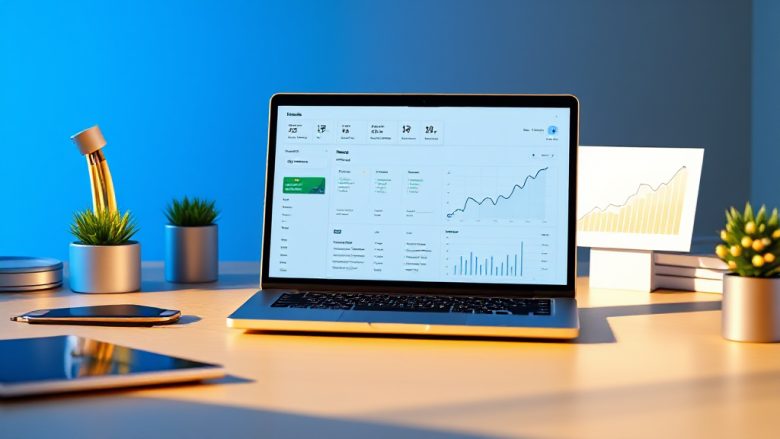
Link-Building Automation, Explained Simply for First-Time Users
Link-building automation is the practice of using software to handle the repetitive parts of getting backlinks: placing orders, generating content, scheduling when that content goes live, and collecting the results into a report. Instead of juggling spreadsheets, email threads, and half a dozen browser tabs, you manage the whole workflow from one dashboard. If that sounds like something only large agencies can afford or understand, here is the reassuring part: the tools built for this work, including pbnrank, are designed so a solo freelancer or a small business owner can run a campaign without a technical team behind them.
This article answers the questions a first-time user usually asks, then walks through a simple first campaign from start to finish.
What Does Link-Building Automation Actually Do?
Is it just a fancy word for buying links? No. Automation is about the process, not the links themselves. A link-building platform organises the steps you would otherwise do manually. In practice, that usually means four things.
Order management. You create an order, attach the target page, and track its status as it moves through the pipeline. Everyone involved sees the same information, which removes the classic “did you already publish that one?” email chain.
Content generation. Instead of writing every article from scratch, the platform helps produce the supporting content that hosts your links. You still review and adjust it, but you are not starting from a blank page each time.
Publishing scheduling. Links that appear all at once look unnatural. Scheduling spreads publication across days or weeks so the pattern looks like normal editorial activity rather than a single burst.
Reporting. At the end of a campaign, you need to show what was published, where, and when. Good platforms compile this automatically, which matters enormously if you answer to a client.
Is this only for big agencies? This is the worry most beginners bring to the table, and it is understandable. Agency software has a reputation for being expensive, complicated, and built around teams of ten. In reality, the same features that help an agency serve fifty clients also help a freelancer serve three without dropping the ball. Order tracking, scheduling, and reporting are not luxuries reserved for large firms. They are exactly what stops a one-person operation from losing track of its own work.
Do I need to understand the technical side? Not deeply. You need to understand what a backlink is and why it matters, which is a five-minute lesson. The platform handles the mechanics. Think of it like an accounting tool: you do not need to be a chartered accountant to use one, but you do need to know what an invoice is.
A Plain-English Glossary of Key Terms
Before your first campaign, get comfortable with these words. They come up constantly, and none of them are as intimidating as they sound.
Backlink. A link from another website to yours. Search engines treat these as signals of trust and relevance.
Anchor text. The clickable words in a link. “Read our guide” is anchor text; so is a brand name.
Campaign. A group of link placements organised around one goal, such as promoting a single service page.
Order. A single request within a campaign, usually one placement on one site.
Pipeline. The stages an order passes through, typically something like drafted, approved, scheduled, published, reported.
Reseller. Someone who buys link-building capacity and sells it onward under their own brand. Platforms often support this model directly, with separate views for clients, resellers, and administrators.
Control room. The central dashboard where you see every campaign at once. This is the core idea behind pbnrank: one place to build, publish, and recover campaigns rather than scattering them across tools.
Recovery. What happens when a placement is lost, removed, or needs replacing. A decent platform lets you track and re-run these without rebuilding the whole campaign from memory.
Your First Campaign, Step by Step
Here is a realistic walkthrough for someone who has never touched this kind of tool before. Set aside an afternoon for the first one; later campaigns take far less time.
Step 1: Pick one target page. Choose a single page you want to strengthen, ideally a service or product page that already converts. Resist the urge to promote your whole site at once. One page, one campaign.
Step 2: Define the goal in one sentence. For example: “Ten relevant placements for the bookkeeping services page over the next month.” A clear sentence keeps the campaign from drifting.
Step 3: Set up the order. Enter the target URL, the anchor text you want, and any notes for whoever reviews the content. If you are working for a client, add them as a separate account so their reporting stays clean.
Step 4: Review the generated content. The platform will draft supporting articles. Read them. Fix anything inaccurate about your business, and make sure the link sits naturally inside the text rather than being bolted on at the end.
Step 5: Schedule, do not dump. Spread publication over two to four weeks. This is the single easiest way to make a beginner’s campaign look like a professional’s.
Step 6: Watch the pipeline. Check the dashboard every few days. Most orders move without intervention, but you want to catch anything stuck in review early.
Step 7: Export the report. At the end of the month, pull the report and send it to your client, or keep it for your own records. Seeing the published list in one document is genuinely satisfying the first time.
What if something goes wrong? Placements occasionally disappear. That is normal, not a crisis. Use the recovery feature to log the loss and queue a replacement. The point of a control room is that a lost link is a five-minute admin task, not a panicked search through old emails.
How much should I automate? Start smaller than you think. Run one campaign, learn the interface, and only then increase volume. Automation rewards people who understand their own workflow first. If you cannot describe your manual process, the software will simply help you do a confusing thing faster.
The honest summary for a first-time user: link-building automation is not a magic ranking switch, and it is not an agency-only club. It is a way to keep orders, content, scheduling, and reporting in one organised place. Begin with one page, one clear goal, and one campaign. Once that runs smoothly, everything after it feels routine.