Access That Travels: The ROKOK88 Link Across Networks
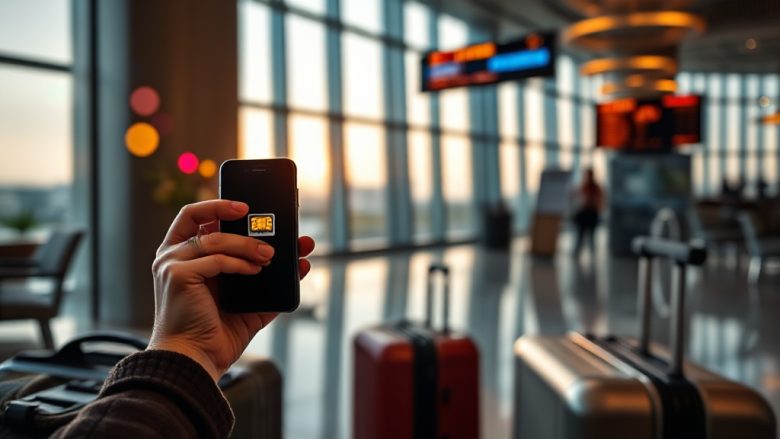
I am writing this from an airport lounge with a fresh SIM card in my phone and a boarding pass in my jacket pocket. The first thing I test after landing is not email or maps — it is whether the rokok88 link still opens on this network. If a platform only works from one city, one provider or one device, it is not really a platform; it is a local convenience. The point of a link is that it should follow the user, not force the user to follow it.
That is the practical question behind every search for the ROKOK88 link: will this address work when I move from hotel Wi-Fi to a train hotspot, from an old phone to a new one, from a strong signal to a weak one? Below is how I think about portability after years of testing access from departure gates, rental cars and borrowed laptops.
Why a Link Needs to Be Portable, Not Just Reachable
Reachability is a single moment: the page loads once. Portability is a pattern: the same address resolves correctly across networks, browsers and devices without manual repair. Travelers feel the difference immediately, because a trip is essentially a series of network changes.
Most access failures I see are not dramatic outages. They are small mismatches: a saved bookmark that points to an old path, a browser that keeps a stale cached copy, a DNS resolver that has not caught up. Portability means the address survives those mismatches.
The difference between a bookmark and a link
A bookmark lives in one browser on one device. A link is a piece of text you can paste anywhere. When people ask for the ROKOK88 link rather than a saved shortcut, they are usually asking for something they can carry across devices — a string they can type, send to themselves, or open on a tablet in a hotel room.
That is why I keep the address in plain text in a notes app rather than only in a browser bar. Plain text moves; browser state does not.
What “official” should mean in practice
An official address is the one the service itself publishes, not the one that happens to rank first in a search result on a foreign network. Search results shift by country and by device. The safest habit is to verify the address against the source you already trust before you rely on it mid-trip.
Scenario One: A New City and a New Network
You land, buy a local SIM, and the first load is slow or fails. This is rarely the platform’s fault. New networks mean new DNS resolvers, new routing and sometimes new content filters. The link is fine; the path to it is still warming up.
My routine is simple. I wait for the SIM to fully register, toggle airplane mode once, and retry. If the page still stalls, I switch from mobile data to the airport Wi-Fi and try again. Two different networks give you a quick read on whether the problem is the address or the connection.
Hotel Wi-Fi and captive portals
Hotel networks often intercept the first request and redirect you to a login page. If the ROKOK88 link appears to fail in a hotel, check whether you have actually completed the portal login. A page that loads a login screen instead of content is a network redirect, not a broken link.
Roaming versus local data
Roaming routes your traffic through your home carrier, which can be slower and can behave differently from a local SIM. If one works and the other does not, you have learned something useful: the address is reachable, and the difference is routing. Keep both options available when you travel.
Scenario Two: A New Device Mid-Journey
Phones get lost, batteries die, and borrowed laptops happen. The test of a link is whether it works on a device that has never seen the site before — no cookies, no cache, no saved password.
On a fresh device, type the address rather than clicking a shortened or forwarded version. Forwarded links pick up tracking parameters and redirects that can break. A clean address entered directly removes the most common source of failure.
Browser choice and cached copies
If a page loads strangely on one browser, try another before assuming anything is wrong. Cached copies can keep serving an old version of a page after the site has changed. A private or incognito window is the fastest way to see what a brand-new visitor sees.
Syncing across phone, tablet and laptop
I keep the address in a cloud note so it appears on every device I sign into. That is not a security feature — it is a portability feature. When a device fails, the address is still one tap away on the next one.
Scenario Three: Weak Signal and the Patience Problem
Weak signal is where most people give up and conclude the link is broken. On a train or in a basement, a page may take several attempts to load. The failure looks identical to a dead address, but the cause is different.
Test with a lightweight page first — a search engine or a news site. If that also stalls, the problem is the connection. If everything else loads and only one address does not, then it is worth investigating the address itself.
When to stop troubleshooting and move on
If two networks, two browsers and a private window all fail, stop. Re-verify the address from your trusted source rather than trying endless variations. Chasing guessed URLs is how travelers end up on lookalike pages, which is a far bigger risk than a slow load.
Keeping the address safe while you move
Never enter account details on a page you reached through a forwarded message or an unfamiliar redirect. Type the address, confirm it matches your saved copy, and only then proceed. Portability is worthless without verification.
A Compact Portability Checklist
Before any trip, I run through the same short list. It takes two minutes and saves hours of confusion at the other end.
- Save the address as plain text in a cloud note, not only as a browser bookmark.
- Confirm it matches the version published by the source you trust.
- Test it once on mobile data and once on Wi-Fi before you leave.
- Know how to open a private window on your main device.
- Keep a second network option available — local SIM plus roaming, or Wi-Fi plus data.
- Never trust a forwarded or shortened version of the address.
None of this is complicated, but it is easy to skip when you are rushing to a gate. The travelers who stay connected are rarely the ones with the best hardware; they are the ones who treat the address as something they carry rather than something they find.
That is the whole idea behind a link that travels. Networks change, devices change and cities change. The address should be the one thing that does not need to be rediscovered every time you land.